 32:25
32:25Learning Blender so I can 3D model my room for no reason

Curiosity Gap
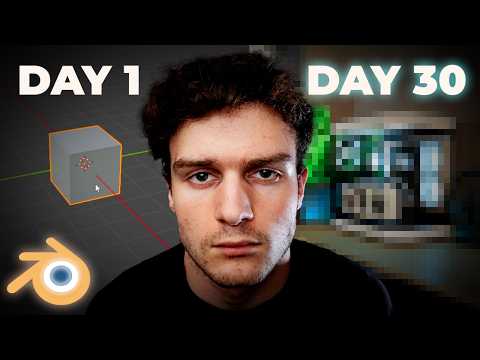
- If you've ever opened Blender, you know the grey cube, since it's the first thing on screen.
- DAY 30 shows a room, but it's pixelated so you can't judge it.
- You click to see how far a beginner got in a month.
Title
'for no reason' is self-aware and a bit funny, which makes the project feel relatable to people who pick up hobbies just because, not for work.
Thumbnail
The creator's deadpan stare between the two days plays up the joke, and the orange Blender logo tells 3D fans which software this is.
When you document learning a skill from scratch, show the recognisable starting point next to a blurred or pixelated end result. Label the days, and let viewers click to see how good it got.
Ask your own AI chat for titles and thumbnail ideas for your video, using the psychology behind this one.
Show day one clearly, and blur the result.
Turn this reference into your next thumbnail brief
Take what works here and give your designer a clear direction.
- 1 Start with your video idea
- 2 Define your title, promise and thumbnail
- 3 Share your finished brief with your designer